iTunes Match: Details, Facts and FAQs

Posted on Jan 13, 2012 in CoverScout, SongGenie

Since SongGenie and CoverScout work so closely with iTunes, we’ve been closely investigating iTunes Match and how it works and have found some interesting details that we wanted to share. At lot of us here at equinux enjoy using iTunes Match, here’s what we’ve found out:

What is iTunes Match?

iTunes Match is a service from Apple, that simply allows you to download any song you have on your computer onto your iPhone, iPad or another Mac. Your songs are “matched” to songs sold through the iTunes Store and Apple allows you to download those directly from the cloud.

How iTunes matches your songs

Matching is done with some form of acoustic fingerprinting – just like SongGenie uses. And like SongGenie’s acoustic matching, iTunes Match doesn’t always get it 100% right – every now and then you’ll see that it uploads a song available on the iTunes store instead of “matching” it.

Does iTunes replace SongGenie?

No. Even though iTunes can recognize and match songs, even if they have missing or incorrect song information, iTunes will never “fix” that information for you. Even if you delete and re-download a song via iTunes Match, your songs will still be missing information or have incorrect metadata.

Fix song information everywhere.

If you use SongGenie to update and fix your song information, that information will automatically show up on your iPhone or iPad running iTunes Match. So if you change “Track 1” to “Help!” with SongGenie, it will update that song on your iPhone and iPad automatically, thanks to iTunes Match.

iTunes Match and lyrics

In our tests, all song information was sent to your iTunes Match library in the cloud just fine, however lyrics occasionally seemed to get lost on the way. This seems to be a bug and we expect Apple will fix it in the future. So if you notice that some of your lyrics aren’t immediately available on all of your devices, it’s probably this glitch.

Does iTunes Match replace CoverScout?

No. If a song is available on the iTunes store, it will get a cover via iTunes, just like you have been able to get covers in the past. But all those albums and songs for which iTunes doesn’t have covers will still need artwork from CoverScout.

Covers everywhere – thanks iTunes Match!

In fact, thanks to iTunes Match, covers that you add with CoverScout are then automatically added to your iPhone or iPad with iTunes Match. So add a cover on your Mac and boom – it shows up on your iPhone.


Hopefully that explains how SongGenie & CoverScout can both be used to get your collection looking spectacular on all your devices – with iTunes Match. If you have any questions, be sure to let us know!


Read More

Free Christmas surprise: tizi Remote

Posted on Dec 21, 2011 in tizi

We’ve had a lot of fun with tizi this year and while we were getting ready to release tizi go, we decided to do something special for all our new tizi fans this Christmas and came up with a little surprise for all tizi and tizi go owners…

Introducing tizi Remote!

tizi Remote allows you to take full control of your tizi using your iPhone as a remote control for your iPad.

With tizi Remote you can:

  • Flip through channels
  • Pause live TV (Timeshift)
  • Record your favorite shows
  • Zoom the picture to fill your iPad’s screen
  • Adjust the volume or instantly mute tizi
  • Display current and upcoming show information
  • Automatically pause TV when you receive a phone call
  • Turn tizi on or off

App design

When designing the app, we made sure that you can use tizi Remote with one hand, just like you would a real remote control. tizi Remote works with tizi go and with tizi from equinux or Belkin.

In order to use tizi Remote, you’ll need the latest free update for tizi.tv from the App Store and your iPhone, iPad and tizi all need to be on the same Wi-Fi network.

We’ve put together a little video to give you an idea of all the things you can do with tizi Remote (it’s in German, but we think you’ll get the gist).


Get tizi Remote – free on the App Store

We hope you like our Christmas surprise! If you’re enjoying tizi and our latest updates, be sure to spread the word.

Have a great holiday season and have fun with tizi Remote!

Read More

tizi go is here. Mobile TV for iPad 2

Posted on Dec 15, 2011 in iPad Apps, tizi

We’ve just released our brand new digital TV receiver for the iPad 2, tizi go. It’s really easy to use – you just plug tizi go into the dock connector on your iPad 2 and the tizi.tv app even opens automatically!

It picks up digital TV (DVB-T / DTT), so you can watch live TV directly on your iPad 2. You don’t need an internet connection and there are no additional fees.

Stunning Design

tizi go is small enough to take everywhere, so we made sure it’s not just small, but suitable for everyday use: the flexible loop antenna offers great reception, and it’s flexible (like a headphone cable), so won’t accidentally snap off or get lost.

Powered by tizi.tv 2

tizi go works with our brand new app, tizi.tv 2 (free on the App Store), which offers incredible new features like visual timeshift, déjà vu recording, split-view with TV and EPG at a glance, full landscape and portrait controls – all with a best-in-class UI design and attention to detail.

tizi go: available in Germany this Christmas

We’re launching tizi go today in Germany for just €99,99, we’ll be announcing additional availability early 2012.

Go and find out more about tizi go, or if you’re in Germany – go and buy yourself one for your iPad 2 this Christmas…

Read More

Get Magic Mails for free this Christmas…

Posted on Dec 14, 2011 in iPad Apps

The holidays are fast approaching and we’ve just released an update to Magic Mails, our app that lets you send email greeting cards from your iPad.

Did somebody say “free”?

That’s right, we’ve got a little early Christmas present for you all. Magic Mails is free – but only for a limited time. You can choose your first three greeting cards free of charge as well and additional cards can be purchased in the app.

Now with extra Christmas

Magic Mails now also includes Season’s Greetings 4 – our latest collection of holiday greeting cards.  If you already own any of our Stationery Packs for your Mac (excluding Business Pack), you can sign in to unlock those templates in Magic Mails.

‘tis the season to be jolly…

…so head over to the App Store, download Magic Mails for free and send some Christmas cards to your family and friends!

Read More

Send merry mails this holiday season

Posted on Nov 29, 2011 in Stationery Pack

Thanksgiving is over and everywhere you look people are untangling lights and looking for boxes of decorations – it must be Christmas.

Season’s Greetings Vol. 4

seasons4Season’s Greetings Vol. 4 has 25 brand new templates for all types of Christmas messages.

So whether you’re helping your kids email their wishlists (even Santa has an iPhone nowadays…) or would like to send some Christmas cheer to family and friends, you’ll find a perfect design for every occasion.

Season’s Greetings Vol. 4 is available exclusively from the equinux Online Store. You can also purchase a bundle with all four of our Christmas collections (Season’s Greetings 1-4) that includes an incredible 76 Christmas-themed designs.

Timeline

The latest Stationery update also adds a new feature, the timeline. You can find upcoming holidays and other events on the timeline – click to see templates that are suitable for each specific occasion.

We hope the new timeline will make it easier to keep in touch with your loved ones (and find the perfect template for every occasion) all year round.

On your iPad

We’ve already submitted a free update to Magic Mails, so you will soon be able to use Season’s Greetings 4 on your iPad as well. As usual, customers that own our Stationery Pack templates for the Mac can access all of their templates with Magic Mails. You can already use Season’s Greetings Vol. 1-3 today with Magic Mails on the App Store.

Happy Holidays

We hope you all have a great December and enjoy sending out your Christmas messages with our new designs. Please let us know if you have any template requests that you would like to see next year.

Happy Holidays from all of us here at equinux!

Read More

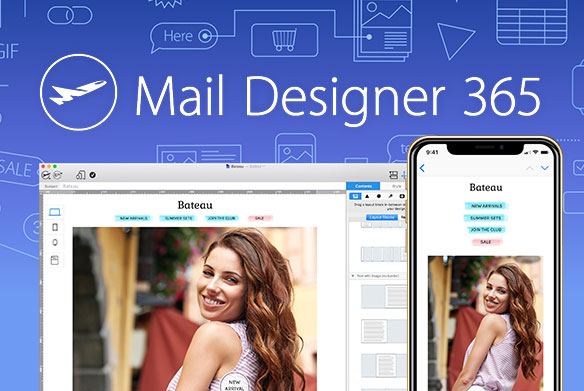
Mail Designer 1.2 & Mail Designer SDK: Do more with your mails

Posted on Nov 3, 2011 in Mail Designer

We’ve released Mail Designer 1.2 this week – a fairly substantial update that adds a huge feature that we’ve had a lot of requests for…


HTML Export

Now you can take any design and export it as a HTML document, so you could re-use your design with other newsletter services, or offer a preview of your newsletter to visitors on your website.

Mail Designer 1.2 also has lots of other improvements – we’ve made it easier to duplicate layout blocks, improved compatibility with Outlook, Gmail and Thunderbird, added three new layout blocks with bullets and more.

Get Mail Designer 1.2


Get the Mail Designer SDK

We’ve also announced a brand new SDK for Mail Designer. The SDK allows developers to create their own plug-ins that are seamlessly integrated with Mail Designer. In fact, even our new HTML export feature was created entirely using the SDK.

Interested developers can download the SDK from our website.

Mail Designer SDK Details

Read More

iOS 5, meet the equinux apps

Posted on Oct 13, 2011 in iPad Apps, iPhone Apps

Now that iOS 5 has been released, we thought we’d give you a quick rundown of our iPhone and iPad apps and their iOS 5 compatibility:

tizi

The current version, tizi.tv 1.3.2 is fully compatible with iOS 5 on the iPhone and iPad.

Please note that iOS 5 no longer shows a check mark when you connect to tizi’s Wi-Fi network. Instead you’ll see the “spinning wheel” icon, even after you are connected. This is an iOS 5 quirk, but it doesn’t affect tizi performance. We’ve reached out to Apple to see if this can be addressed with a future iOS update, our FAQ has more details. We’re also already hard at work preparing the next update, so stay tuned.

TV Movie

We’ve just released version 3.0.4 of TV Movie and TV Movie HD. It features a redesigned database that changes the way some of your data is stored, so it won’t take up as much room in your iCloud backup. We’ve also fixed an issue that could cause the app to crash under iOS 5, so make sure you grab that update.

Magic Mails

We’ve run into a little bug with auto-correct that can affect typing under iOS 5, which seems to be related to the new version of Webkit in iOS 5. We’re looking into it and hope to be able to offer an update for that particular issue soon. Apart from that little annoyance, Magic Mails works great.

Grillmeister

All good, so there’s nothing to stop you from enjoying a tasty steak with iOS 5 and Grillmeister or Grillmeister HD!

iSale Mobile

iSale mobile still works great with iOS 5 – so you can take great snaps of your stuff and send it over to iSale 5 on your Mac to put on eBay. With the iPhone 4S, your product pics should look great!

Live TV & TubeToGo

Apple has changed a fair bit under the hood with regards to video playback, so we’ll have to look into what we can do for these two apps.

Flash4Free

Our free, no-frills flashlight works perfectly, so you won’t be left in the dark with your iOS 5 device.


And that’s it – we have a few updates planned for our iOS apps, so check back occasionally or follow us on Twitter or Facebook for the latest update news.

P.S. We’ll have a longer, detailed post soon describing some of the changes in iOS 5 that relate to TARMAC.

Read More